


Weather Alerts: Radar Tracker
4.25.00 Reviews
App Specs
- Version
- 1.1.15
- Updated On
- License
- Free
- Downloads
- 10,000+
- Developer
- Weather alerts
- Categories
- Weather
- Platform
- Android
Screenshots
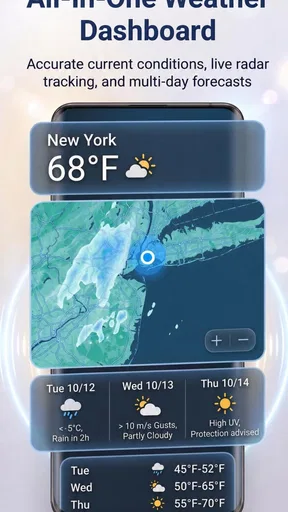
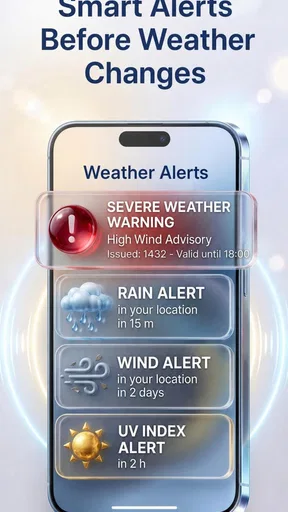
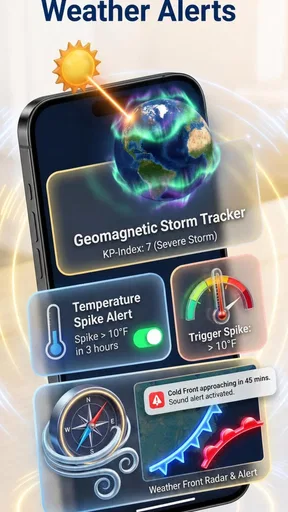
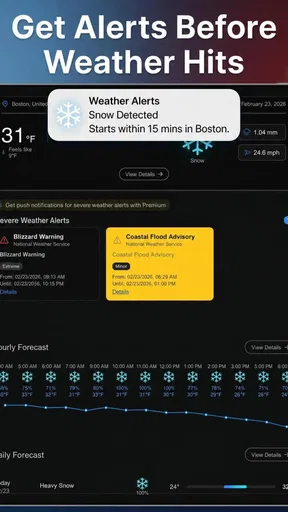
 Analysis by AppCompare
Weather can become a practical problem long before it becomes an emergency. A sudden storm affects a school run, a commute, outdoor work, travel, and even the decision to leave a pet outside. I spent time with Weather Alerts: Radar Tracker to see whether its focus on severe-weather warnings, local radar, and custom notifications makes those decisions easier. My overall impression is that it is most useful when I want a quick warning system rather than a broad, lifestyle-focused weather app.
This is a free weather app from Weather alerts, rated for Everyone. It has reached over ten thousand installs and holds a 4.2 average from 59 ratings, which suggests a modest but reasonably positive early audience. It was released on February 10, 2026, and the current version is 1.1.15. Those details matter because this feels like a relatively young product: its central idea is clear, but I would approach it as a focused tool that deserves a place in a weather-checking routine rather than as the only source I trust in serious conditions.
How the app handles everyday access to weather information
I focus here on how the app makes weather information easier to reach during an ordinary day, rather than on treating a radar screen as something to watch constantly. In my experience, the useful question is not simply whether an alert appears, but whether I can notice it, understand it, and take a sensible next step without interrupting everything else. That leads naturally to the practical choices involved in setting up alerts and checking conditions.
Readability and navigation come first
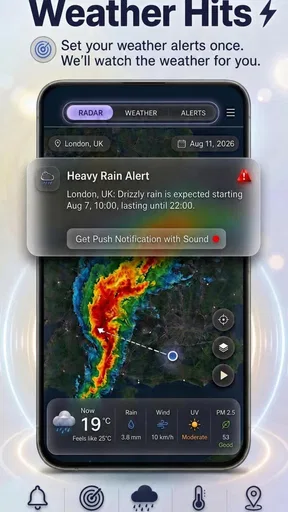
The strongest part of the concept is its directness. Instead of making me dig through a large collection of forecasts, the app puts attention on alerts and a local radar tracker. That is a sensible approach for someone who mainly wants to know whether severe weather is approaching their area and whether current conditions are moving toward them.
I find this kind of focused layout easier to use when I am in a hurry. A weather app can be technically rich but still frustrating if the important warning is buried among hourly cards, lifestyle scores, pollen panels, advertisements, and long forecast pages. Weather Alerts: Radar Tracker is better suited to a quick glance: check the local picture, review a notification, and decide whether plans need to change.
That simplicity can also help people who find dense screens tiring. Larger blocks of information are generally easier to scan than a page packed with tiny labels and competing colors. I would still recommend checking the text carefully rather than relying only on a color band or map shade. Radar displays are useful for recognizing movement and intensity, but their meaning is not always obvious to a first-time user, especially when several weather patterns overlap.
One practical habit improved my experience: I treated the radar as a confirmation tool, not as a replacement for reading the alert. If a notification arrives while I am preparing to leave, I first read what kind of weather is involved, then look at the local radar to judge whether the system appears close or moving in my direction. That two-step workflow is more reliable than opening a map and trying to interpret every colored area without context.
Worth Reading Before You Choose

Flipboard Shows What News Apps Must Do Beyond the Feed

Switching to Android Auto Means Rethinking Your Driving Routine

Google Calendar Makes a Crowded Week Easier to Manage

Ludo King Makes the Most of the Minutes Between Plans

Baby Panda World Brings Quick Play to Modern Phones, but Its Game Library Feels Busy

ESPN’s Live Game View Makes Following Close Games Easier
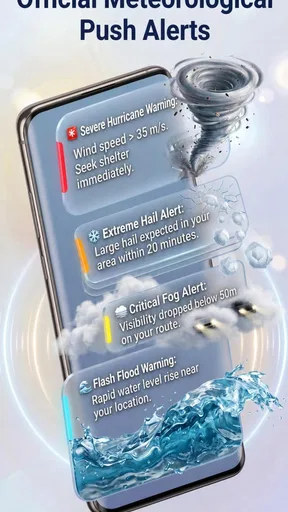
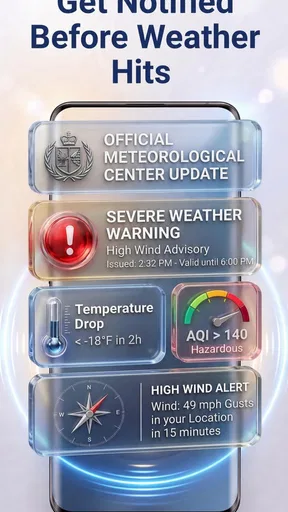
The app’s custom notification angle is also important for readability. Notifications can be more accessible than repeatedly opening an app, particularly for someone with limited attention, a busy schedule, or difficulty navigating several screens. A well-timed message can bring the essential information to the lock screen or notification area, where it is easier to notice during a normal routine.
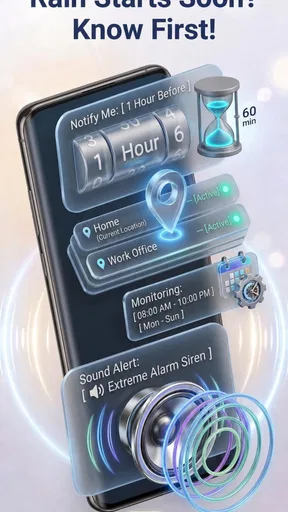
There is a trade-off, though. Notifications are only helpful when they are configured in a way that matches the person using the phone. Too many alerts can make every message feel routine, while too few can create a false sense of security. I would spend a few minutes deciding which situations deserve immediate attention and which ones can wait for a manual check. That is especially important for users who are sensitive to repeated sounds, vibrations, or visual interruptions.
Useful for different sensory preferences, within limits
Weather information is often consumed in less-than-ideal conditions: outside in bright sunlight, indoors with glare on the screen, while wearing gloves, or when background noise makes audio prompts difficult to notice. A notification-based weather tool has an advantage here because it does not require constant visual monitoring. I can let the phone bring an update to me instead of repeatedly opening the radar.
For someone with reduced hearing, visual notifications may be more dependable than an audible warning. For someone with reduced vision, a concise notification may be easier to process than a detailed map, although the usefulness will depend on the phone’s own text-size, contrast, and screen-reader settings. I would not describe the app as a certified accessibility product, but its emphasis on alerts gives it a potentially helpful role in a mixed-accessibility setup.
The radar view is less straightforward for people who have difficulty distinguishing colors. Weather maps commonly use color as a major part of their visual language, and that can make intensity or movement harder to interpret. In that situation, I would rely more heavily on the written warning and on the phone’s notification behavior than on trying to decode subtle changes in the map.
There is another sensory consideration that is easy to overlook: alerts can arrive at inconvenient moments. A person who is sleeping, driving, caring for a child, or working in a quiet environment may need a notification pattern that does not create unnecessary stress. I would use the app alongside the phone’s notification controls and avoid assuming that louder or more frequent warnings are automatically safer.
People with motor difficulties may appreciate not having to perform repeated gestures just to monitor conditions. A notification reduces the number of taps needed for the first decision. The radar tracker still asks for some interaction when I want more detail, so it is not a completely hands-free experience, but the alert-first design can reduce the effort involved in routine checking.
Situational access is where the idea makes the most sense
The clearest everyday use case is a morning commute during unsettled weather. I can check the local radar before leaving, then keep custom notifications available while traveling. If conditions change, I have a chance to delay the trip, choose different clothing, protect equipment, or take a safer route. This is more useful than a generic forecast when the question is not “What will the whole day look like?” but “Is the weather becoming a problem near me soon?”
It also fits outdoor workers and people who spend time moving between locations. A gardener, delivery worker, caregiver, or parent at a sports activity may not have time to study a full forecast. The combination of an at-a-glance radar view and alerts can support short decisions: continue, pause, move indoors, or check again before starting.
For travelers, the app can be a helpful local supplement. A broad forecast may describe the destination, but radar can give a more immediate sense of what is happening nearby. I would still avoid treating it as a complete travel-planning solution. When a journey crosses several areas, a single local view may not answer every question, and official emergency guidance remains more important than any one app.
The app may also help people who experience anxiety around severe weather, but the same feature can work in the opposite direction. Having a clear alert channel can reduce the urge to refresh a forecast constantly. On the other hand, frequent checking of an animated radar can become stressful if every patch of color feels threatening. My advice is to create a simple routine: check at a few meaningful points in the day and let notifications handle urgent changes, rather than watching the map continuously.
Its Everyone age rating makes the app suitable in principle for a broad household audience. I can imagine a family using it as one part of a shared weather routine, with an adult explaining what an alert means and what action to take. The app itself should not be expected to teach emergency preparedness. Children and older adults may need a clear household plan that translates a warning into practical steps.
Where it differs from ordinary weather alternatives
Compared with a general weather app, this one feels narrower and more purposeful. Standard alternatives usually try to cover many needs at once: long-range forecasts, hourly temperatures, precipitation chances, widgets, sunrise information, and lifestyle details. That breadth is valuable when I am choosing clothes, planning a weekend, or comparing several days.
Weather Alerts: Radar Tracker makes more sense when the priority is severe weather awareness and local movement. Its advantage is not that it replaces every other forecast feature; it is that it can keep attention on the information that matters when conditions are changing. If I only want tomorrow’s temperature, a simpler forecast screen may be faster. If I want a broad planning dashboard, a mature all-purpose weather service may offer more context.
Compared with relying on built-in phone weather information, the app’s custom notification focus is the more interesting difference. Built-in tools are convenient because they are already familiar, but a dedicated alert workflow may be easier for someone who wants weather warnings to stand apart from ordinary forecast details. The trade-off is that adding another weather app means another interface to learn and another source to compare when information appears inconsistent.
Compared with official emergency channels, this app should be viewed as a convenience layer, not the final authority. For dangerous conditions, I would check local authorities and emergency instructions as well. A radar tracker can help me understand what is near my location, but it should not replace formal warnings, evacuation directions, or local knowledge.
Practical limits and points of friction
The biggest limitation is the risk of overestimating what a radar view can tell me. Radar is excellent for showing active precipitation patterns and their movement, but it does not automatically answer every question about wind, flooding, lightning, road safety, or what will happen at a specific address. I use it to add visual context to an alert, not to make a complicated safety decision by itself.
Another limitation is the need for personal setup. A notification system only becomes genuinely useful after I decide how I want it to behave. Someone who dislikes interruptions may find custom alerts intrusive, while someone who needs strong reminders may want more obvious prompts than a quiet notification provides. The app’s value therefore depends partly on how well its alert style fits the user’s phone habits and sensory needs.
The free download lowers the barrier to trying it, but the app also includes in-app purchases ranging from $6.99 to $112.99 per item. That is a wide range, so I would review any purchase screen carefully before confirming anything. The presence of optional paid items does not make the free version unusable, but it does mean that people managing a strict budget should pay attention during setup and avoid assuming that every useful capability is included without cost.
I would also be cautious about using any weather app as the only notification path during a major event. Phones can be muted, offline, low on battery, or out of coverage. A practical backup could be a second trusted source, local alerts, or a household plan. This is not a criticism unique to this product; it is simply an important safety habit when notifications are involved.
For users who need detailed accessibility controls, highly customizable map presentation, or extensive forecast history, a larger weather platform may be a better fit. The focused design that helps with quick checks may feel restrictive to someone who wants deep meteorological detail. Likewise, people who rarely experience severe weather and only need a temperature forecast may find the app more specialized than necessary.
Small workflows that make the app more useful
My first recommendation is to separate “monitoring” from “investigating.” Let notifications handle the initial interruption, then open the radar only when the message is relevant to your plans. This reduces screen time and prevents the map from becoming a source of constant visual noise.
Second, check the radar before starting an activity that is difficult to interrupt. That could mean beginning a long drive, taking children to a field, setting up outdoor equipment, or leaving an older family member alone at home. A short pre-activity check is more useful than discovering a warning halfway through something that has no easy stopping point.
Third, use plain-language household rules alongside the app. For example, agree that a severe-weather notification means everyone checks the message, confirms where to go, and brings vulnerable people or pets inside. This turns a notification into an action instead of leaving each person to interpret the same warning differently.
Finally, consider the needs of the person who will actually receive the alerts. A user with low vision may need larger system text; a user with hearing loss may need visual notification cues; a user with motor limitations may benefit from minimizing repeated map gestures. These adjustments are not substitutes for app-level accessibility, but they can make the focused alert workflow more practical on a real phone.
Who should try it, and who should choose something else?
I would recommend giving it a try if severe-weather notifications are your main concern, you want a local radar view, and you prefer a focused tool over a crowded forecast dashboard. It is particularly appealing for people who make short, practical decisions throughout the day and benefit from being notified rather than remembering to check the weather manually.
I would be less enthusiastic for someone looking for a complete weather planning suite. If your routine depends on detailed hourly comparisons, long-range planning, specialized environmental information, or extensive customization, a broader alternative may serve you better. I would also skip making it the sole safety source for high-risk situations, regardless of how convenient its alerts are.
The developer, Weather alerts, has created a clear product direction, and the current version shows that the app is still developing as a relatively new offering. Its 1.1.15 release is the version I would look for when installing, while keeping expectations realistic about the difference between a focused alert companion and a fully mature weather platform.
An inclusive verdict for everyday weather decisions
My final view is positive but measured. Weather Alerts: Radar Tracker has a useful accessibility angle because it can bring important information forward through notifications instead of requiring constant visual browsing. The radar tracker adds context for people who want to see whether a weather system is approaching, and the focused design can be easier to scan than a traditional all-purpose forecast app.
It is not equally suitable for every ability or situation. Color-dependent maps may be difficult for some users, repeated alerts may be distracting or stressful, and people who need comprehensive forecasts will probably outgrow its narrow focus. I would pair it with phone-level accessibility settings, a clear household response plan, and official emergency information when conditions are serious.
My recommendation is to treat it as a practical early-warning companion, not a complete weather authority. For a free app with a specific purpose, that is a worthwhile role. If you want a quick way to notice severe weather and then inspect the local radar before making an everyday decision, it is worth trying. If you need deep forecast detail or formal emergency coverage, keep looking beyond this app.
Pros
- Real-time alerts help users prepare for sudden weather changes.
- Radar maps make it easy to track storms and precipitation visually.
- Location support provides forecasts for home and travel destinations.
- Useful widgets offer quick weather updates without opening the app.
- Severe-weather notifications can improve safety during dangerous conditions.
Cons
- Frequent alerts may feel excessive when several weather events overlap.
- Radar accuracy and coverage can vary by region.
- Some advanced features may require a paid subscription.
- The interface may feel crowded when many layers are enabled.
- Background location and notifications can increase battery usage.
FAQs for Weather Alerts: Radar Tracker
What is Weather Alerts: Radar Tracker used for?
Weather Alerts: Radar Tracker is designed to help you monitor current conditions, upcoming forecasts, precipitation movement, and severe-weather warnings in one place. After opening the app, you can typically view radar imagery, check temperatures and wind details, and follow weather changes around a selected location. It is useful for planning commutes, outdoor activities, travel, and everyday routines.
Does Weather Alerts: Radar Tracker provide real-time severe weather notifications?
The app can provide alerts for weather events such as storms, heavy rain, strong winds, snow, or other hazardous conditions, depending on the features available in your region and the notification settings you enable. Alert timing and accuracy may vary because information usually comes from meteorological data providers. For emergencies, always compare the app with official local authorities and public safety announcements.
Does the app require my location, and can I use it without location access?
Weather Alerts: Radar Tracker may request location permission so it can automatically display forecasts and warnings for your current area. You can usually deny access and manually search for or save cities instead, although some location-based features may be limited. Before installing, review the app’s privacy information and your device permissions to understand how location data is handled.
Is Weather Alerts: Radar Tracker free to download and use?
The app may be available as a free download, but some functions can depend on advertising, subscriptions, or in-app purchases. Premium options may include an ad-free experience, extended forecasts, additional radar layers, more saved locations, or enhanced alert tools. Check the current Google Play or App Store listing for exact pricing, trial terms, and renewal conditions before subscribing.
How reliable are the forecasts and radar maps in Weather Alerts: Radar Tracker?
The app can be convenient for checking weather trends, but forecast reliability depends on the data sources, your location, the forecast range, and rapidly changing conditions. Radar images are especially helpful for observing precipitation movement, while long-range predictions should be treated as estimates. For severe weather, aviation, outdoor work, or emergencies, confirm details through official meteorological services.


